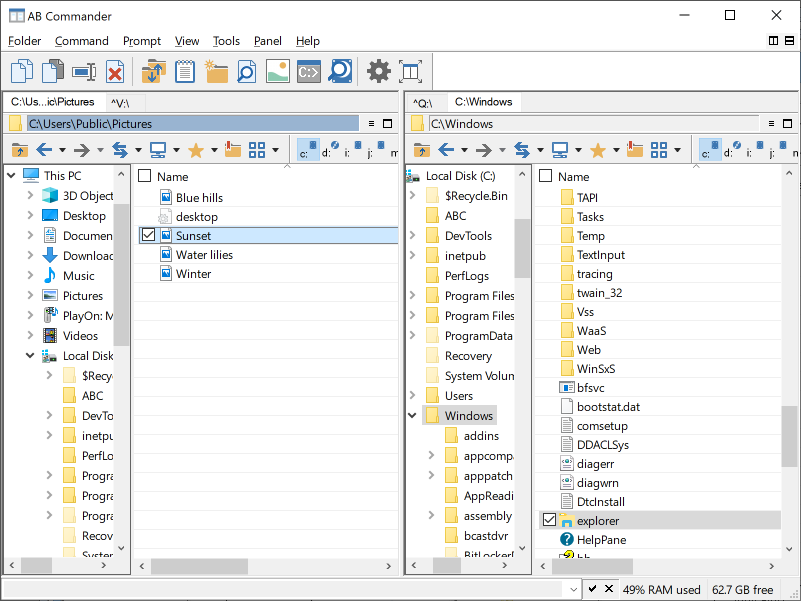
AB Commander 8.3 released
A new version 8.3 of AB Commander released! See what’s new in this version.
As usual, if you have purchased your AB Commander license within the previous 12 months, you can upgrade to this version free of charge: just download the new version and install it over the previous one. If your one year of free upgrades has already expired, you can purchase the new version and receive the automatic 50% upgrade discount. If you have not purchased a license yet, feel free to download AB Commander and give it a try: it’s free for 30 days!
AB Commander 8.2 released
A new version 8.2 of AB Commander has been released! This is a minor update that corrects the problem with the Synchronize command that made the command work incorrectly. We’ve also added the capability to hide (and unhide) folders in the Go to folder window. Download version 8.2…
AB Commander 8.1 released
We’ve just released a new version 8.1 of AB Commander. This update includes several minor improvements and fixes.
As always, a free 30-day license is built-in in every download, give it a try!
AB Commander 8.0 released
A new version 8.0 of AB Commander is available now. The new version offers tab browsing, the ability to set up an alternative file viewer, as well as several other improvements and fixes.
As always, a free 30-day license is built-in in every download, give it a try!
AB Commander 7.7. released
What’s new in AB Commander version 7.7:
- The Wipe the content option has been added to the Delete command. You can use this option to make it much harder (if not impossible) to reconstruct the contents of the files being deleted.
- The file management commands (Copy, Move, Delete, etc.) are now performed asynchronously. For example, if you’ve started a long operation to copy a large file, you can continue working with AB Commander without having to wait for the copying to finish.
- The Undo command has been added to the Command menu. (Previously, it was only accessible via the Ctrl-Z key combination).
- Several other minor improvements and corrections have been made.
AB Commander updated to version 7.5.6
This is a minor update that fixes a problem that caused the drive bar of the toolbar to move to the second row if a removable drive was attached to the computer while AB Commander was minimized.
AB Commander now works with Space Investigator
We’ve just released an updated version of AB Commander 7.5.5 that makes it easier to use our new utility Space Investigator: you can now switch back and forth between Space Investigator and AB Commander with just a click of a button. Now you can have a real good look at your files and folders through different angles offered by these two programs.
Space Investigator is free for the users of AB Commander. Get it today!
AB Commander 7.5 released
A new version 7.5 of AB Commander has been released!
This version features several improvements and bug fixes. For example, it now offers the ability to navigate to any of the parent folders by clicking on their names in the panel title bars, or the use of the CTRL+WINDOWS key combination to quickly exit, minimize, or iconize AB Commander. This version also adds integration with our new product USBCrypt: now when you stop a Virtual Encrypted Disk created with USBCrypt, AB Commander releases its resources automatically.
As before, our standard upgrade policy applies: if you have purchased an AB Commander license within the previous 12 months, you can upgrade to this version free of charge: just download and install the new version, it should replace the previous version automatically for you. Otherwise, please visit the Upgrade Center to receive the automatic 50% upgrade discount.
Should you have any questions or comments, please don’t hesitate to contact us.
WinAbility Software
AB Commander 7.3.2 released
We’ve just released a minor update to AB Commander 7.3.2 that corrects an issue that occurred when Windows 7 was used with a custom DPI setting of the display. (Many thanks to Kinook Software for their help with trobleshooting this problem.)
Download the new version and upgrade today!
AB Commander 7.3.1 released
AB Commander is now fully compatible with Windows 7. The previous versions of Windows (Vista, XP, 2000) are still fully supported, as well. As before, the trial version is 100% functional, please give it a try today!